Upload A Mesh Model
Here’s how you can upload object meshes and bin meshes to the database from an external drive.
Note
Managing your data with AI Hub: Data Management
Step 1: Preparing meshes in a Storage Device
Format the external storage device to FAT32 or exFAT format. This ensures compatibility with the robot system.
Prepare the mesh files according to the requirements listed in Mesh model file requirements.
Transfer the mesh files to the external storage device. If you have multiple files for an object and you have multiple objects to upload, it is recommended to use one directory per object.
Step 2: Transferring the mesh model from a storage device
Using an external PC, access Maira GUI at
http://192.168.2.14:8080and switch to AI Hub Mode.Plug the USB containing the mesh files to the control box.
Go to section and select sub-tab.
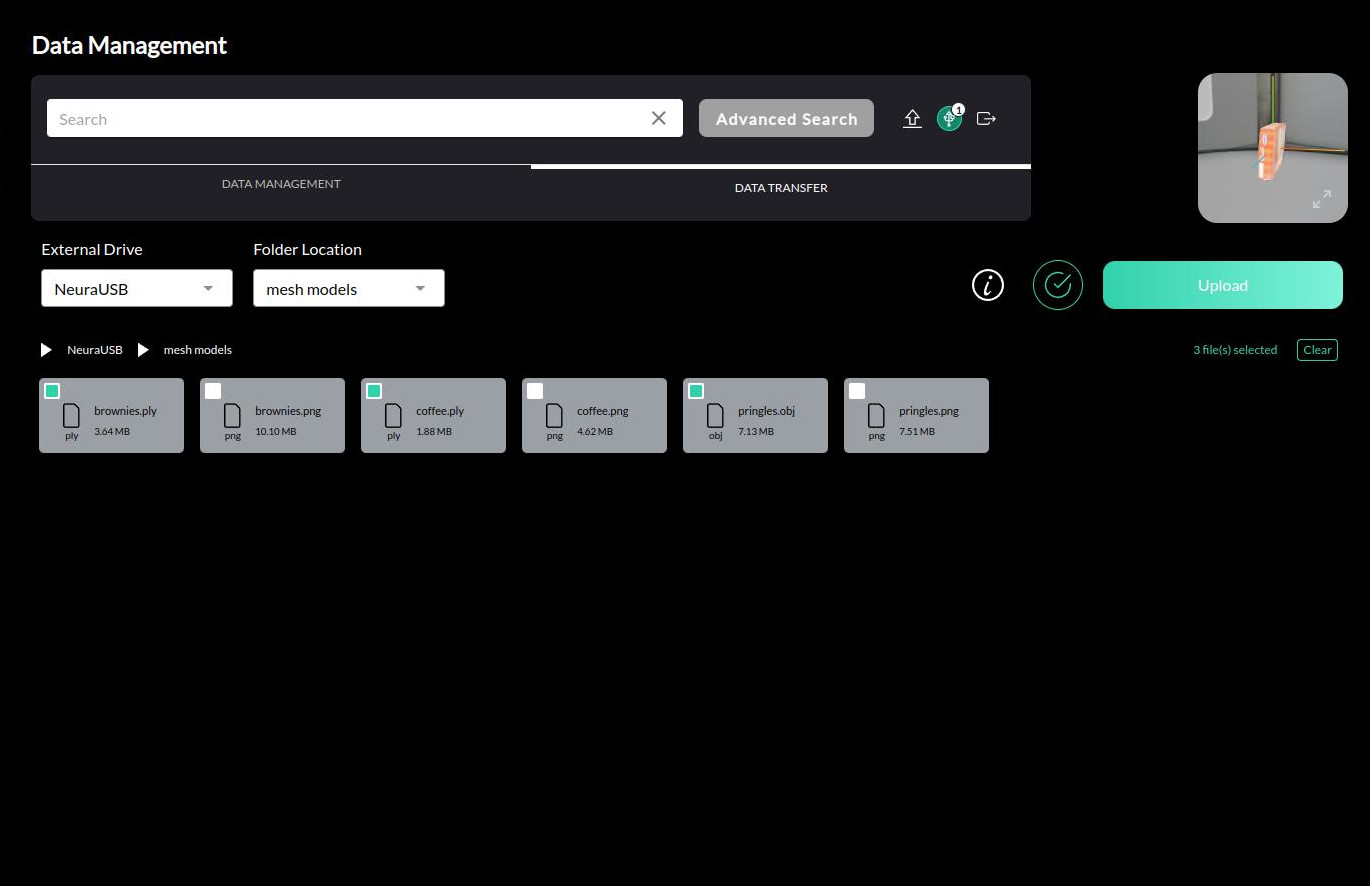
Select your storage drive and navigate the pseudo file system to your mesh file(s).
Select the mesh file(s) to upload. You could inspect the selected meshes in the preview window. You could hit Validate to run a preliminary check if the mesh file requirements are fulfilled. Use the status message to guide on how to remedy the issue in cases of failure and try again.
Hint
If your model includes a texture file, there is no need to select it as it will be automatically uploaded with the mesh file.
Click on Upload to upload the selected mesh files to the database.
In the file review, check the bin_obj checkbox if it’s a bin mesh file. Once satisfied, click on Upload to initiate the upload process.
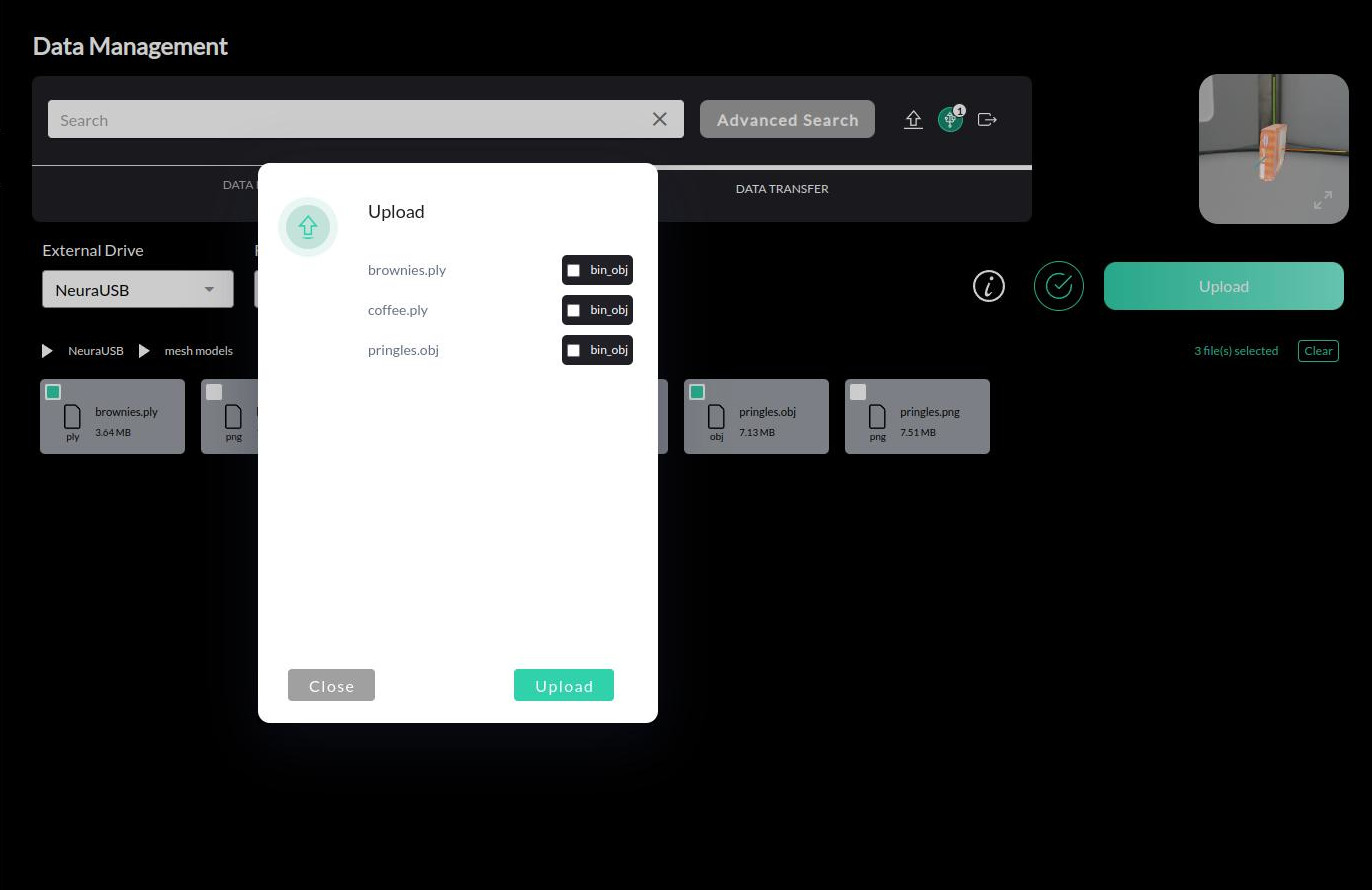
The upload process may take some time depending on the size of the files and the number of files selected. Use the status message to guide on how to remedy the issue in cases of failure and try again.
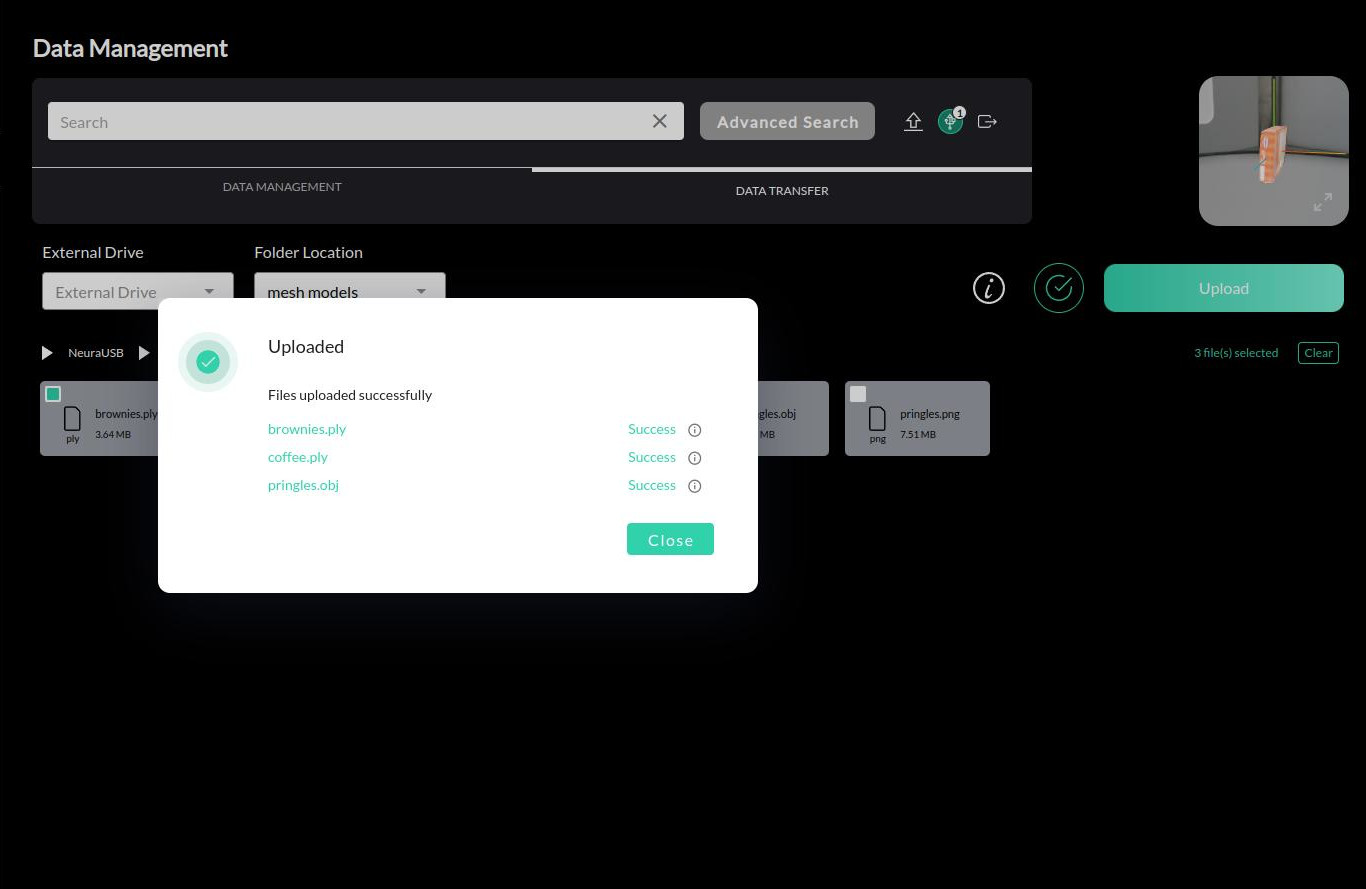
Successfully uploaded meshes can be found under > . Database search allows finding the uploaded mesh by the assigned name.
Video Guide
Note
The video is a demonstration of the upload process. The actual interface may differ slightly from the one shown in the video.